Beyond Vibe Coding: Structured Agentic Coding with Local Models
Vibe coding has gotten a bad reputation in the industry, and I think we all know why by now. No one actually loves working on a system that barely works but is exhaustively documented by an LLM in all the wrong ways. There are plenty of fixes to this problem, and when it comes to local agentic coding, my experience is that a minimal amount of structure goes a very long way to producing really good systems.
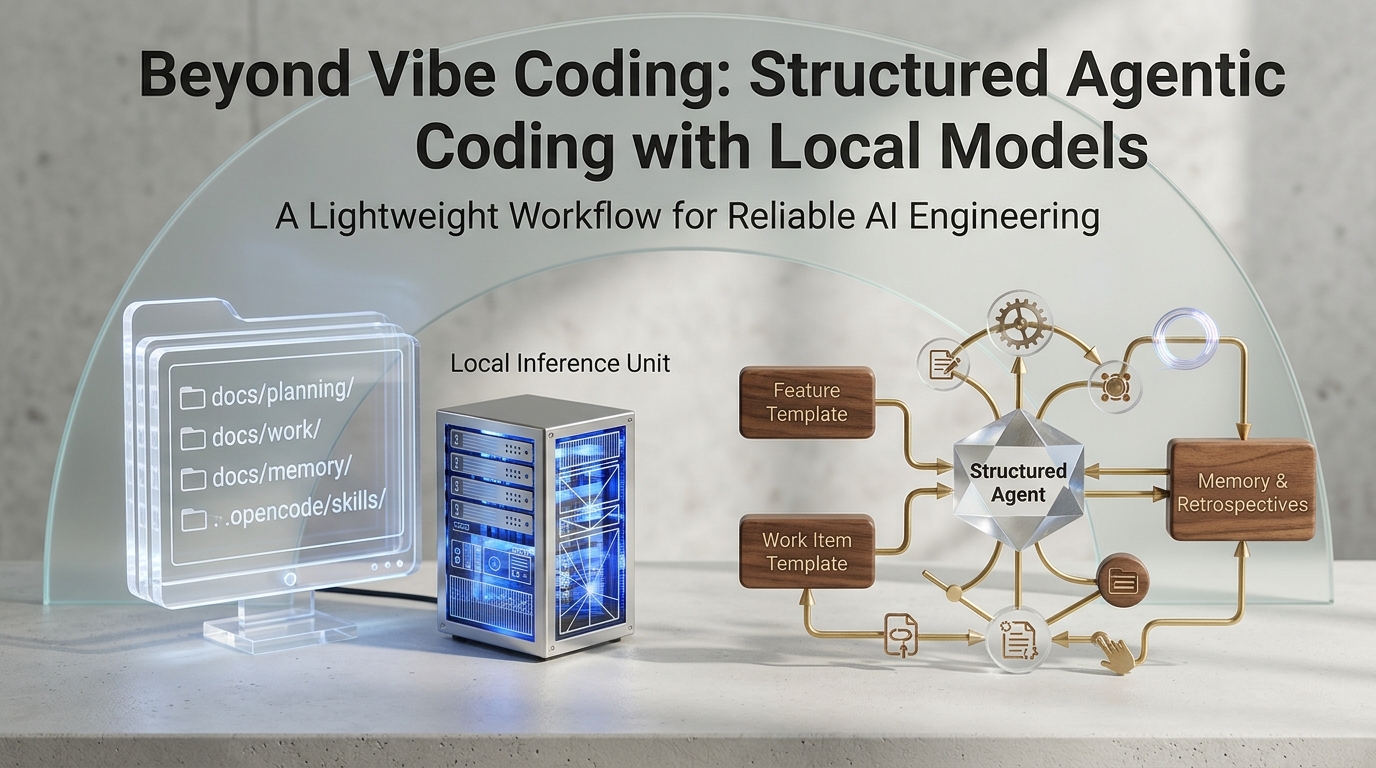
Proper Agentic Coding using Local Inference
The first thing to remember with local coding is that you have a limited context window: 80K–120K tokens is currently where most of these models shine on a GPU. So, we need a few things to keep the agent focused on the right things and to track progress:
- A small work item
- A larger feature item
- A memory / retro system to preserve knowledge across sessions
Here is the structure I am using in my little experimental application:
docs/
  planning/
    _feature-template.md
    FT-002-story-collections.md
  work/
    _workitem-template.md
    WI-036-saved-views.md
  memory/
    SUMMARY.md
    retro-WI-030-opencode-v2-config-migration.md
.opencode/skills/
  feature-plan/SKILL.md
  feature-review/SKILL.md
  feature-retro/SKILL.md
  work-item-create/SKILL.md
  work-item-progress/SKILL.md
  work-item-review/SKILL.md
  work-item-retro/SKILL.md
And you can use these templates to follow the process yourself:
# Feature: [Short title]
**ID:** FT-###
**Status:** refining
**Created:** YYYY-MM-DD
**Source:** <idea, proposal, or conversation>

## Summary
What capability are we building, and what problem does it solve?

## Goals
- G1 — ...
## Non-goals
- Explicitly out of scope for this feature.
## Scope
Which areas does this feature touch?
## Architecture
Key components, constraints, and decisions.
## Sequencing & Work Item Breakdown
| Order | WI (planned) | Title | Depends on | Notes |
|---|---|---|---|---|
| 1 | WI-### | ... | — | ... |
## Open Questions
- Q1: ... — open
## Refinement Log
- YYYY-MM-DD: Decision + reason.
## Related Work Items
- WI-### — title — status
## Notes
Deferred ideas and links.
# Work Item: [Short title]
**ID:** WI-###
**Feature:** FT-### (or None)
**Status:** planned
**Created:** YYYY-MM-DD
**Branch:** feature/wi-###-short-title

## Summary
What and why, in 2–3 sentences.
## Motivation
Why this change; link related context.
## Scope
In scope:
- ...
Out of scope:
- ...
## Implementation Plan
### Affected files
- `path/to/file` — planned change
### Architecture notes
Design decisions and constraints.
### Steps
- [ ] Step 1
- [ ] Step 2
### Edge cases
What could go wrong, and expected behavior?
## Testing
Automated checks and what they prove.
## Manual Validations
- [ ] MV-1: User action → expected result (user checks this)
## Acceptance Criteria
1. Concrete, verifiable condition.
## Notes
Open questions and follow-ups.
And finally, below are examples of skills for planning and managing features and work items.
For a larger capability, save this minimal, usable skill as .opencode/skills/feature-plan/SKILL.md:
---
name: feature-plan
description: Plan and iteratively refine a capability too large for one work item.
---

## Workflow
1. Check for an existing feature and read `docs/memory/SUMMARY.md`.
2. Create `docs/planning/FT-<number>-<slug>.md` from the feature template.
3. Refine goals, non-goals, scope, architecture, open questions, and WI sequence with the user.
4. Log each meaningful decision in the Refinement Log.
5. Keep the feature at capability level; create WIs lazily when work starts.
6. Use `feature-review` before marking the feature planned.
For each implementation slice, save this as .opencode/skills/work-item-create/SKILL.md:
---
name: work-item-create
description: Plan one work item from a request. Never implement before approval.
---

## Workflow
1. Check for an active feature or work item that already covers the request.
2. Read `docs/memory/SUMMARY.md` for relevant lessons.
3. Fill `docs/work/_workitem-template.md` as `WI-<number>-<slug>.md`.
4. Include scope, affected files, steps, edge cases, tests, manual validations, and acceptance criteria.
5. Present the WI and wait for approval. Do not implement before approval.
You can ask your agent to create the companion skills—that’s the best part about this process!
feature-plan       refine a big capability into an ordered FT
feature-review     gate readiness, completion, or report status
feature-retro      capture planning/decomposition lessons
work-item-progress resume from the WI checklist across sessions
work-item-review   verify acceptance criteria and user checks
work-item-retro    capture implementation lessons in memory
How to Use Them
Above is the structure—it is really bare-bones, and of course there are about a million other structures and tools you could use. But the magic lies in its simplicity and flexibility for a single user and a local agent.
Benefits
The first benefit to a system like this is that it forces everything into some form of plan/act loop. You want to have the agent plan the work first, even the little things. You can plan several at once and you can ask the agent to break them apart if they seem too big, but the goal is a little plan every time you change something.
This does two things. It lets you understand what it is about to do—this matters a lot when each turn is slower than with a cloud model and when context is very limited. It also acts as a great memory system, so the agent can look back and understand what you have already done.
The second benefit of a system like this is that it really is flexible — you start off with some skills and a structure and you can refine it as you like based on your project, your model, your system, and your goals. The retro step is crucial and often involves fine-tuning a skill or acknowledging that we can do something better. I recently added all the Avalonia UI docs to this repo because keeping them here works better for me than relying on an MCP server or fetching them from the web. You can endlessly tweak your process until you get it right.
Finally, the third benefit is that it scales fairly well. Once you can plan work items well and have a history of good ones, you can start planning features. And once you get this process down well, you can literally have it start working on a feature at night, go to bed, and wake up to it being +99% correct in the morning. Even though your context may squish 100+ times in a single session, the memory preserves the progress and the lessons learned through the feature allowing you to get a lot done with a tiny context window.
That’s right — you don’t need a 1-million-token context window or frontier cloud models to do this. Give the agent a clear plan, along with previous examples, retros, and a memory system, and a local model like Qwen 3.8 27B can work autonomously and produce useful results. But the strategy has to be different. Full specs, ahead-of-time plans, and vague intents don’t really cut it. Rather, a solid history of good examples of past work is the magic that I have found to make this work for me.